QRKude ESP-IDF component
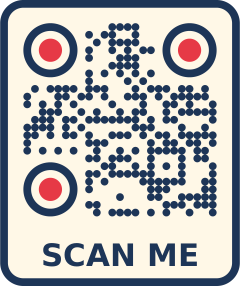
An ESP-IDF component that creates styled QR codes on ESP32 chips and outputs them as SVG images, as pixels for a display, or as text on the console. It is part of QRKude, a set of libraries that produce the same styled QR codes in C, Arduino, ESP-IDF, LVGL, JavaScript, Python, Rust, Dart and Qt.
Status and installation
QRKude is pre-release (version 0.1.0). The component is not yet in the ESP Component Registry. Install it from a clone of the QRKude repository.
The folder packages/esp-idf does not contain the C core, and ESP-IDF names
components after their folder, so use the assembled component. Build it with
Python 3 (no extra modules):
python3 packages/arduino/tools/package.py --only esp-idfThis writes the component to dist/esp-idf/qrkude/. Then either copy that
folder into your project’s components/ folder, or point your project at
it. In the project’s top-level CMakeLists.txt, before project() (use your
absolute path):
cmake_minimum_required(VERSION 3.16)
set(EXTRA_COMPONENT_DIRS /home/you/qrkude/dist/esp-idf/qrkude)
include($ENV{IDF_PATH}/tools/cmake/project.cmake)
project(my_app)
and in main/CMakeLists.txt:
idf_component_register(SRCS "main.c"
                       INCLUDE_DIRS "."
                       PRIV_REQUIRES qrkude)
Once published, the component will be added with
idf.py add-dependency "kudelink/qrkude".
Quick start
This program needs no wiring. It prints a QR code on the console as text, then the same code as an SVG image.
#include <stdio.h>
#include <string.h>
#include "qrkude.h"

static qrk_code code;                       /* the module grid (static: up to 4 KB) */
static uint8_t scratch[QRK_BUFFER_LEN_MAX]; /* the encoder's work area */

static void to_console(void *user, const char *data, size_t len)
{
    fwrite(data, 1, len, stdout);
}

void app_main(void)
{
    qrk_style style;
    qrk_style_default(&style);
    style.modules.shape = QRK_MODULE_FLUID; /* connected, rounded modules */
    style.eyes.frame = QRK_EYE_ROUNDED;     /* the three corner markers */
    style.eyes.ball = QRK_EYE_CIRCLE;

    qrk_encode_opts opts;
    qrk_encode_opts_default(&opts);
    const char *url = "https://kudelink.com";
    qrk_status st = qrk_encode_for_style(&code, url, strlen(url), &opts, &style, scratch);
    if (st != QRK_OK) {
        printf("encode: %s\n", qrk_status_str(st));
        return;
    }

    /* the grid as text, two characters per module, with a 2-module margin */
    for (int y = -2; y < code.size + 2; y++) {
        for (int x = -2; x < code.size + 2; x++)
            fputs(qrk_get_module(&code, x, y) ? "##" : "  ", stdout);
        fputc('\n', stdout);
    }

    qrk_svg_write(&code, &style, NULL, to_console, NULL);
}
Build and run it with idf.py build flash monitor. The monitor shows the
code drawn with # characters (a phone camera can usually read it from the
screen if the terminal has dark text on a light background), then an SVG
document. Copy the text from <svg to </svg> into a file named qr.svg and
open it in a web browser to see the style.
A complete example with a Wi-Fi code, a label, timing and optional drawing
on an ST7789 LCD is in examples/basic.
New to QR codes? Read the guide.
Styling
A style describes how the code looks: the shape of the modules (the small
squares of the grid), the eyes (the three big corner markers), colors,
background, a logo area and a text label. It is a qrk_style struct that you
fill in C, or a JSON document shared by every QRKude library. The visual
reference docs/STYLES.md shows every option.
| field | meaning |
|---|---|
margin |
quiet zone: the empty border, in modules (default 4) |
modules.shape, .size, .roundness, .paint |
module shape and color: QRK_MODULE_SQUARE, _DOT, _ROUNDED, _DIAMOND, _STAR, _FLUID, _LIQUID, _BEVEL, _CLASSY, _HBARS, _VBARS |
eyes.frame, .ball, .frame_paint, .ball_paint |
eyes: QRK_EYE_SQUARE, _ROUNDED, _CIRCLE, _LEAF, _DROP, _BEVEL, _DIAMOND, _DOTS |
alignment.frame, .ball |
alignment patterns, the small inner markers |
background.paint, .radius, border.width, .color |
background and border |
logo.size, .margin, .shape, .excavate, .background, .href |
logo area |
label.text, .font, .size, .color, .position, .bold |
label (SVG output only) |
Colors are 0xRRGGBBAA: QRK_HEX(0x1B3A5C) for opaque colors,
QRK_RGBA(r, g, b, a) with transparency. A paint is a solid color or a
gradient: qrk_paint_solid(), qrk_paint_linear(angle, from, to),
qrk_paint_radial(center, edge); see
colors and gradients.
Example 1, a gradient and colored eyes:
qrk_style style;
qrk_style_default(&style);
style.modules.shape = QRK_MODULE_LIQUID;
style.modules.paint = qrk_paint_linear(45, QRK_HEX(0x6A11CB), QRK_HEX(0x2575FC));
style.eyes.frame = QRK_EYE_CIRCLE;
style.eyes.ball = QRK_EYE_CIRCLE;
style.eyes.ball_paint = qrk_paint_solid(QRK_HEX(0xE8590C));
style.background.radius = 2; /* rounded corners, in modules */
Example 2, a style from JSON. The JSON reader allocates nothing: strings
(label, logo URL) are copied into an arena buffer that you provide, which
must live as long as the style. Parse into copies and keep them only on
success, because a failed parse can leave a style half changed:
static char arena[256];
const char *json = "{\"modules\":{\"shape\":\"dot\",\"size\":0.9,\"color\":\"#2b8a3e\"},"
                   "\"eyes\":{\"frame\":\"leaf\",\"ball\":\"leaf\"},"
                   "\"label\":{\"text\":\"Scan me\",\"size\":3}}";
qrk_style style;
qrk_encode_opts opts;
qrk_svg_opts svg;
qrk_style_default(&style);
qrk_encode_opts_default(&opts);
qrk_svg_opts_default(&svg);

qrk_style parsed = style;
qrk_encode_opts parsed_opts = opts;
qrk_svg_opts parsed_svg = svg;
qrk_status st = qrk_style_from_json(json, strlen(json), &parsed, &parsed_opts, &parsed_svg,
                                    arena, sizeof arena);
if (st == QRK_OK) {
    style = parsed;
    opts = parsed_opts;
    svg = parsed_svg;
} else {
    printf("style: %s\n", qrk_status_str(st)); /* e.g. "parse error" */
}
The document can also hold "encode" and "svg" sections
(encoding options,
SVG options).
Example 3, a logo. The style reserves an area in the middle. SVG output shows
the image at logo.href (a URL or a data: URI); pixel output draws a
qrk_image that you pass in qrk_raster_opts.logo, for example a C array
made from a PNG by img2qrk.py (in packages/arduino/tools):
python3 img2qrk.py logo.png -n qrkude_logo -f RGB565 -s 32 -o logo.h#include "logo.h" /* after qrkude.h */
style.logo.size = 0.2; /* 20% of the code width */
style.logo.margin = 0.5; /* clear space around it, in modules */
style.logo.shape = QRK_LOGO_ROUNDED;
style.logo.background = QRK_HEX(0xFFFFFF);
qrk_encode_opts opts;
qrk_encode_opts_default(&opts); /* ecc = QRK_ECC_AUTO */
const char *url = "https://kudelink.com";
qrk_encode_for_style(&code, url, strlen(url), &opts, &style, scratch);
qrk_raster_opts ro;
qrk_raster_opts_default(&ro, 240, 240);
ro.logo = &qrkude_logo;A logo hides part of the code. With opts.ecc = QRK_ECC_AUTO (the default),
qrk_encode_for_style() raises the error correction (the share of the code
that may be missing while it still scans) to the highest level, H. Check the
result with qrk_logo_damage(), see Making sure it scans
and the guide on logos.
Output
SVG
SVG is a vector image format that browsers display at any size. QRKude
writes the same SVG, byte for byte, in every language.
qrk_svg_write(code, style, opts, write, user) streams it through your
callback in small pieces; nothing proportional to the image is buffered.
qrk_svg_to_buffer() writes it into a buffer instead and returns the full
length like snprintf (call it with a NULL buffer to measure).
qrk_svg_opts sets the width attribute in pixels and the id_prefix of
gradient names (useful when one web page shows several codes).
Serving it from esp_http_server, collecting the pieces into 512-byte
chunks:
#include "esp_http_server.h"

typedef struct {
    httpd_req_t *req;
    size_t used;
    char buf[512];
} http_out;

static void to_http(void *user, const char *data, size_t len)
{
    http_out *out = user;
    while (len > 0) {
        size_t n = sizeof out->buf - out->used;
        if (n > len)
            n = len;
        memcpy(out->buf + out->used, data, n);
        out->used += n;
        data += n;
        len -= n;
        if (out->used == sizeof out->buf) {
            httpd_resp_send_chunk(out->req, out->buf, out->used);
            out->used = 0;
        }
    }
}

static esp_err_t qr_svg_handler(httpd_req_t *req)
{
    http_out out = {.req = req, .used = 0};
    httpd_resp_set_type(req, "image/svg+xml");
    qrk_svg_write(&code, &style, NULL, to_http, &out);
    if (out.used > 0)
        httpd_resp_send_chunk(req, out.buf, out.used);
    return httpd_resp_send_chunk(req, NULL, 0); /* end of the response */
}
Here code and style are the program’s encoded code and style.
Pixels for a display
qrk_render_buffer(code, style, ro, format, pixels, stride) fills a buffer
of qrk_pixel_buffer_size(format, width, height) bytes. The code is scaled to
fit ro.width x ro.height and centered. Formats:
| format | bytes per pixel | use |
|---|---|---|
QRK_PIXEL_RGB565_SWAPPED |
2 | SPI displays through esp_lcd (byte order of the wire) |
QRK_PIXEL_RGB565 |
2 | RGB565 in CPU byte order, LVGL 16-bit |
QRK_PIXEL_RGB888, QRK_PIXEL_RGBA8888, QRK_PIXEL_BGRA8888 |
3, 4, 4 | image encoders, LVGL 32-bit (BGRA8888) |
QRK_PIXEL_GRAY8 |
1 | grayscale displays |
QRK_PIXEL_MONO |
1 bit | OLEDs and e-paper, 1 = dark |
qrk_raster_opts ro;
qrk_raster_opts_default(&ro, 120, 120); /* smoothing 2x2, whole pixels per module */
ro.clear_color = QRK_HEX(0xFFFFFF);     /* color around the code */
size_t bytes = qrk_pixel_buffer_size(QRK_PIXEL_RGB565_SWAPPED, 120, 120);
uint16_t *pixels = heap_caps_malloc(bytes, MALLOC_CAP_DMA);
if (pixels && qrk_render_buffer(&code, &style, &ro, QRK_PIXEL_RGB565_SWAPPED, pixels, 0) == QRK_OK) {
    /* esp_lcd sends it in the background: keep the buffer until the
     * transfer is done (on_color_trans_done) */
    esp_lcd_panel_draw_bitmap(panel, 0, 0, 120, 120, pixels);
}
Here panel is your esp_lcd panel handle, and heap_caps_malloc() comes
from esp_heap_caps.h. A full 240 x 240 RGB565 buffer takes 115 KB. qrk_render_spans() avoids it:
it calls your function for each horizontal run of equal pixels, row by row,
so you can send the image in strips. examples/basic/main/example_lcd.c does
this for an ST7789 with two 16-row DMA buffers (15 KB in total).
Raster options in qrk_raster_opts: supersample (smoothing, 1 = off to 4,
default 2), integer_scale (every module gets the same whole number of
pixels, default true: sharp and easy to scan), clear_color (color around
and behind transparent parts, default white) and logo.
How big to draw it
Aim for at least 3 to 4 pixels per module. The code occupies code.size
modules plus style.margin on each side, so with whole pixels per module:
pixels per module = floor(drawing size / (code.size + 2 x margin))A 240-pixel square with the default margin of 4 gives 7 pixels per module for up to 26 bytes of text (version 2) and 5 for up to 62 bytes (version 4). Shorter text gives bigger modules. See versions and capacity and size in print and on screen.
LVGL
When the project contains an LVGL component (lvgl/lvgl from the registry,
or a local lvgl), this component also builds the lv_qrkude widget:
#include "lv_qrkude.h". See packages/lvgl. The
detection happens when CMake runs, because ESP-IDF fixes component
dependencies before reading sdkconfig.
Content helpers
These functions build the text that phone cameras recognize, with the right
escaping. Each returns the full length like snprintf; the text is complete
when that length is smaller than the buffer.
char text[160];
size_t n = qrk_payload_wifi(text, sizeof text, "MyNetwork", "secret", "WPA", false);
if (n < sizeof text)
    qrk_encode_for_style(&code, text, n, &opts, &style, scratch);

qrk_payload_email(text, sizeof text, "[email protected]", "Hello", "Sent from a QR code");
qrk_payload_sms(text, sizeof text, "+34600000000", "Hi");
qrk_payload_tel(text, sizeof text, "+34600000000");
qrk_payload_geo(text, sizeof text, 40.4168, -3.7038);

qrk_vcard card = {.first_name = "Ada", .last_name = "Lovelace", .email = "[email protected]"};
qrk_payload_vcard(text, sizeof text, &card);

qrk_event event = {.summary = "Maker meetup",
                   .start = "20261107T180000Z",
                   .end = "20261107T200000Z"};
qrk_payload_event(text, sizeof text, &event);
qrk_payload_wifi() takes "WPA" (also for WPA2 and WPA3), "WEP",
"nopass" or NULL, and true for hidden networks. Fields left NULL in
qrk_vcard and qrk_event are left out. More in the guide:
what you can put in a QR code.
Making sure it scans
Strong styling can make a code hard to read. qrk_lint(code, style) returns
warnings as bit flags (0 = none), and qrk_logo_damage(code, style) tells
how much of the error correction the logo area uses:
uint32_t warnings = qrk_lint(&code, &style);
for (uint32_t flag = 1; flag <= QRK_LINT_INVISIBLE; flag <<= 1)
    if (warnings & flag)
        printf("warning: %s\n", qrk_lint_name(flag));
printf("logo damage: %.2f\n", qrk_logo_damage(&code, &style)); /* keep it below 0.6 */| flag | name | what to do |
|---|---|---|
QRK_LINT_LOGO_RISKY |
logo-risky |
logo damage above 0.7: make the logo (logo.size, logo.margin) smaller or the text shorter |
QRK_LINT_LOGO_UNREADABLE |
logo-unreadable |
logo damage above 1: the code cannot be read; same fixes |
QRK_LINT_LOW_CONTRAST |
low-contrast |
modules and background are too alike: darken the modules or lighten the background |
QRK_LINT_INVERTED |
inverted |
light modules on a dark background: many scanners fail; swap the colors |
QRK_LINT_TRANSPARENT_BACKGROUND |
transparent-background |
no background: fine only on a light surface; set background.paint |
QRK_LINT_QUIET_ZONE |
quiet-zone |
margin below 2 modules: increase margin |
QRK_LINT_SMALL_MODULES |
small-modules |
modules.size below 0.6: make the dots or squares bigger |
QRK_LINT_EYE_SHAPES |
eye-shapes |
a diamond eye that scanners reject: use another frame or ball shape |
QRK_LINT_INVISIBLE |
invisible |
modules or eyes have no visible color: give them a color |
Always test with a few phones, at the real size: see styling without breaking scanning, colors and contrast, testing your codes and troubleshooting.
Untrusted styles
When styles or payloads arrive from outside (a web form, Wi-Fi, BLE, MQTT):
- The JSON reader ignores unknown keys. Nesting deeper than 64 objects or
arrays, a number longer than 400 characters and a number that is not
finite (such as
1e999) are parse errors. - It never writes outside the
arena: strings that do not fit returnQRK_ERR_BUFFER_TOO_SMALL. An arena as long as the JSON text always fits. - On any error it may have changed part of the style: parse into copies, as in Example 2.
- Text written into the SVG (label, logo URL) is escaped, and
svg.idPrefixkeeps onlyA-Z,a-z,0-9,_and-(other characters become_). qrk_encode()checks the options:"minVersion": 0or amaxVersionaboveQRK_MAX_VERSIONreturnQRK_ERR_INVALID_ARGUMENT.
What stays your job:
- Limit the length of the JSON and of the text. The reader uses about 1.5 KB of stack.
- A valid style can still be unreadable (white on white, a huge logo). Run
qrk_lint()and reject styles with warnings you do not accept. logo.hrefmay point to any URL, which browsers showing the SVG will load. Set it toNULLif you do not want that.
| status | text (qrk_status_str) |
cause |
|---|---|---|
QRK_OK |
ok | success |
QRK_ERR_PARSE |
parse error | malformed JSON, unknown shape or color name, limits above |
QRK_ERR_BUFFER_TOO_SMALL |
buffer too small | JSON strings do not fit the arena |
QRK_ERR_INVALID_ARGUMENT |
invalid argument | an option out of range, a NULL argument, or a NULL scratch buffer with QRK_NO_MALLOC |
QRK_ERR_DATA_TOO_LONG |
data too long | the text does not fit max_version |
QRK_ERR_OUT_OF_MEMORY |
out of memory | qrk_encode() without a scratch buffer could not allocate one |
API reference
The component’s API is the QRKude C core, qrkude.h (more examples in
core/README.md). Every function, type and macro:
Version, limits and status
QRK_LIB_VERSION |
"0.1.0" |
QRK_MAX_VERSION |
largest version of this build (set from CONFIG_QRKUDE_MAX_VERSION) |
QRK_SIZE_FOR_VERSION(v) |
modules per side of version v (4v + 17) |
QRK_BUFFER_LEN_FOR_VERSION(v), QRK_BUFFER_LEN_MAX |
bytes of a module grid; the scratch buffer size |
QRK_MAX_STOPS |
gradient stops per paint (8) |
qrk_status, const char *qrk_status_str(qrk_status) |
result codes and their text |
Encoding
qrk_ecc |
QRK_ECC_AUTO (H with a logo, else M), _LOW, _MEDIUM, _QUARTILE, _HIGH |
qrk_mode |
QRK_MODE_NUMERIC, _ALPHANUMERIC, _BYTE (chosen automatically) |
qrk_encode_opts |
ecc, min_version, max_version, mask (-1 = auto), boost_ecc, eci |
void qrk_encode_opts_default(qrk_encode_opts *) |
defaults: AUTO, 1..QRK_MAX_VERSION, automatic mask, boost on |
qrk_code |
version, size, ecc, mask, mode, modules[] |
qrk_status qrk_encode(out, data, len, opts, tmp) |
encode bytes; tmp is QRK_BUFFER_LEN_MAX bytes or NULL (malloc); AUTO means M |
qrk_status qrk_encode_text(out, text, opts, tmp) |
encode a C string |
qrk_status qrk_encode_for_style(out, data, len, opts, style, tmp) |
encode; AUTO follows the style (H with a logo) |
bool qrk_get_module(code, x, y) |
true = dark module |
Style
qrk_color, QRK_RGBA(r,g,b,a), QRK_RGB(r,g,b), QRK_HEX(0xRRGGBB), QRK_TRANSPARENT |
colors, 0xRRGGBBAA |
qrk_module_shape, qrk_eye_shape (+ QRK_EYE_NONE), qrk_logo_shape, qrk_label_position |
shape and position names |
qrk_paint_type, qrk_stop, qrk_paint |
solid color or gradient |
qrk_style |
the whole style, see Styling |
void qrk_style_default(qrk_style *) |
black squares on white, 4-module margin |
qrk_paint qrk_paint_solid(color), qrk_paint_linear(angle, from, to), qrk_paint_radial(center, edge) |
paints |
int qrk_module_shape_from_name(name), const char *qrk_module_shape_name(shape) |
"fluid" <-> QRK_MODULE_FLUID (-1 / NULL if unknown) |
int qrk_eye_shape_from_name(name), const char *qrk_eye_shape_name(shape) |
same for eyes |
bool qrk_parse_color(str, len, &color) |
"#rgb", "#rrggbb", "#rrggbbaa", "transparent" |
qrk_ecc qrk_recommended_ecc(style) |
H with a logo, else M |
qrk_status qrk_style_from_json(json, len, style, encode, svg, arena, arena_len) |
read a JSON document |
Checks
uint32_t qrk_lint(code, style), QRK_LINT_* |
warning flags, see Making sure it scans |
const char *qrk_lint_name(flag) |
name of one flag |
double qrk_logo_damage(code, style) |
0 = no logo, above 1 = unreadable |
SVG
qrk_write_fn |
void (*)(void *user, const char *data, size_t len) |
qrk_svg_opts, void qrk_svg_opts_default(qrk_svg_opts *) |
width (0 = none), id_prefix (default "qrk") |
qrk_status qrk_svg_write(code, style, opts, write, user) |
stream the SVG (opts may be NULL) |
size_t qrk_svg_to_buffer(code, style, opts, buf, cap) |
into a buffer, returns the full length |
size_t qrk_format_number(value, out) |
numbers as QRKude writes them (3 decimals at most) |
Pixels
qrk_pixel_format |
QRK_PIXEL_RGBA8888, _BGRA8888, _RGB888, _RGB565, _RGB565_SWAPPED, _GRAY8, _MONO |
qrk_image |
width, height, format, pixels, stride: a logo bitmap |
qrk_raster_opts, void qrk_raster_opts_default(opts, width, height) |
size, supersample, integer_scale, clear_color, logo |
qrk_span_fn |
void (*)(void *user, int x, int y, int len, qrk_color color) |
qrk_status qrk_render_spans(code, style, opts, span, user) |
runs of equal pixels, row by row |
size_t qrk_pixel_buffer_size(format, width, height) |
buffer size in bytes |
qrk_status qrk_render_buffer(code, style, opts, format, pixels, stride) |
fill a buffer (stride 0 = packed rows) |
Geometry (for vector drawing libraries)
qrk_layout, void qrk_get_layout(code, style, &layout) |
canvas size, grid origin, logo box, label anchor, in modules |
qrk_layer, QRK_LAYER_COUNT |
background, border, modules, eye frames, eye balls, logo background |
qrk_path_sink, int qrk_emit_layer(code, style, layer, sink, user) |
outlines of one layer as move/line/arc/close calls |
bool qrk_layer_visible(code, style, layer) |
whether a layer draws anything |
qrk_paint qrk_layer_paint(style, layer) |
the paint of a layer |
qrk_gradient_geometry, void qrk_gradient_geometry_for(code, style, layer, &geom) |
gradient coordinates |
Content helpers (all return the full length like snprintf)
qrk_payload_wifi(out, cap, ssid, password, auth, hidden) |
Wi-Fi network |
qrk_payload_email(out, cap, to, subject, body) |
|
qrk_payload_sms(out, cap, number, message) |
text message |
qrk_payload_tel(out, cap, number) |
phone call |
qrk_payload_geo(out, cap, latitude, longitude) |
map location |
qrk_vcard, qrk_payload_vcard(out, cap, &card) |
contact |
qrk_event, qrk_payload_event(out, cap, &event) |
calendar event |
Component configuration (idf.py menuconfig > QRKude)
CONFIG_QRKUDE_MAX_VERSION (1-40, default 40) |
sets QRK_MAX_VERSION for the component and your code |
CONFIG_QRKUDE_NO_MALLOC (default off) |
defines QRK_NO_MALLOC: qrk_encode() never calls malloc |
CONFIG_QRKUDE_OPTIMIZE_SPEED (default on) |
compiles the component with -O2 |
lv_qrkude.h |
the LVGL widget, when the project has LVGL |
Platform notes
Built with ESP-IDF 6.0.1 (through PlatformIO, esp32dev). The numbers are
for whole applications. The programs have not been run on a board yet; their
QRKude code was run on a PC and the output decoded.
| build | flash (bytes) | static RAM (bytes) |
|---|---|---|
the Quick start program (QRK_MAX_VERSION 40: 7.8 KB of static buffers) |
166,765 | 21,164 |
examples/basic (CONFIG_QRKUDE_MAX_VERSION=20) |
195,589 | 15,812 |
examples/basic with the LCD code |
239,885 | 16,392 |
Memory:
QRK_MAX_VERSION |
qrk_code |
scratch buffer | holds (bytes of text at ECC M) |
|---|---|---|---|
| 40 | 3922 | 3917 | 2331 |
| 20 | 1182 | 1177 | 666 |
| 10 | 412 | 407 | 213 |
| 4 | 142 | 137 | 62 |
- Keep
qrk_codeand the scratch buffer static or on the heap, not on a task stack. - Stack:
qrk_render_spans()/qrk_render_buffer()about 2.6 KB,qrk_style_from_json()about 1.5 KB,qrk_svg_write()about 0.6 KB. The default 3.5 KBmaintask stack is too small for rendering plus logging; the example raises it to 8 KB. qrk_styleis about 800 bytes.- Rendering time has not been measured on hardware yet; the example prints it.
Development
From the root of the repository:
python3 packages/arduino/tools/package.py --only esp-idf
cd dist/esp-idf/qrkude/examples/basic
idf.py set-target esp32 && idf.py build      # or: pio run -e esp32dev
packages/esp-idf compiles the core in place from ../../core and the LVGL
widget from ../lvgl. The assembled component has them in src/,
include/ and lvgl/. examples/basic also builds inside the monorepo
(packages/esp-idf/examples/basic): its top-level CMakeLists.txt then
exposes packages/esp-idf under the name qrkude through a small shim. In
the assembled copy, main/idf_component.yml (written by package.py)
declares the dependency instead. The PlatformIO environment esp32dev_lcd
also compiles the LCD code (sdkconfig.lcd).
Publishing. idf_component.yml points to the repository
(https://github.com/kudelink/qrkude). Upload the assembled folder:
cd dist/esp-idf/qrkude
compote component upload --namespace kudelink --name qrkude
License
Apache-2.0. See LICENSE.
This page is packages/esp-idf/README.md in the QRKude repository.