qrkude (Rust)
qrkude turns text or bytes into a QR code and draws it with a custom look
(round or connected dots, rounded corner squares, gradients, a logo, a frame
with a caption) as SVG, as raw pixels or as PNG.
It is the Rust package of QRKude, a family of libraries in several languages
that produce identical output from the same style description.

Status and installation
This is a pre-release (version 0.1.0). It is not yet published on crates.io. To use it now, clone the QRKude repository and add the crate as a path dependency. From your own project:
cargo add qrkude --path /path/to/qrcplus/packages/rust
# with optional features:
cargo add qrkude --path /path/to/qrcplus/packages/rust --features json,png
or write it in Cargo.toml yourself (the path is relative to your project):
[dependencies]
qrkude = { path = "../qrcplus/packages/rust", features = ["json", "png"] }
A git dependency works the same way once the repository is public; Cargo finds the crate inside the repository by its name:
[dependencies]
qrkude = { git = "https://github.com/kudelink/qrkude" }
Once published, cargo add qrkude will be enough.
| feature | default | what it adds |
|---|---|---|
std |
yes | Uses the standard library and the platform math library. Without it the crate is no_std (it needs only alloc) and uses the libm crate for math. |
json |
no | Reads the shared JSON style document: StyleDocument::from_json, Style::from_json, and serde::Deserialize for both. Works without std. |
png |
no | to_png, which encodes the raster output as a PNG file with the png crate. Needs std. |
Quick start
This program writes a black-on-white QR code for a web address to qr.svg.
It needs only the default features.
use qrkude::{encode_text, to_svg, EncodeOptions, Style, SvgOptions};

fn main() -> Result<(), Box<dyn std::error::Error>> {
    // 1. Encode: text -> grid of dark and light squares.
    let code = encode_text("https://example.com", &EncodeOptions::default())?;
    // 2. Draw: grid + style -> SVG document.
    let svg = to_svg(&code, &Style::default(), &SvgOptions::default());
    std::fs::write("qr.svg", svg)?;
    Ok(())
}
qr.svg is a square image, 33 by 33 units: a grid of 25 by 25 small squares
(called modules) surrounded by a white border four modules wide (the quiet
zone, which scanners need). The SVG has no fixed pixel size, so it scales to
whatever box you put it in; set SvgOptions::width to give it one.
New to QR codes? Read the guide.
Styling
A Style describes the look. It is a set of plain structs with public fields;
Style::default() is the classic black-on-white code. Everything is measured
in modules (the side of one small square). Out-of-range values are clamped
when drawing, never rejected. Every option, with pictures, is described in
STYLES.md.
| part | field | default | meaning |
|---|---|---|---|
| quiet zone | margin |
4 | white border around the code, in modules (guide) |
| modules | modules.shape |
Square |
Square, Dot, Rounded, Diamond, Star, Fluid, Liquid, Bevel, Classy, HBars, VBars (styles) |
modules.size |
1 | size of a module inside its cell, 0.1 to 1 (gaps between dots) | |
modules.roundness |
1 | how round the corners are, 0 to 1 | |
modules.color |
black | a Paint: solid color or gradient (styles) |
|
| eyes | eyes.frame, eyes.ball |
Square |
shape of the three big corner squares (finder patterns) and of their centers: Square, Rounded, Circle, Leaf, Drop, Bevel, Diamond, Dots (styles) |
eyes.frame_color, eyes.ball_color |
Paint::None |
None means “same as the modules” |
|
| alignment | alignment.frame, alignment.ball |
None |
style the smaller squares of larger codes like eyes; None draws them as modules (styles) |
| background | background.color, background.radius |
white, 0 | Paint::None is transparent; radius rounds the canvas corners (styles) |
| border | border.width, border.color |
0, black | a frame drawn outside the quiet zone |
| logo | logo |
None |
Some(Logo) clears the center for an image (styles, guide) |
| label | label |
None |
Some(Label) adds a caption above or below (styles) |
Colors are Color values in 0xRRGGBBAA form: Color::hex(0x1d3557) is an
opaque color, Color::parse("#1d355780") reads CSS-style hex strings.
Builder style. The with_* methods cover the common changes:
use qrkude::{encode_for_style, to_svg, Color, EncodeOptions, EyeShape, ModuleShape, Paint, Style, SvgOptions};

fn main() -> Result<(), Box<dyn std::error::Error>> {
    let style = Style::new()
        .with_module_shape(ModuleShape::Fluid)
        .with_eyes(EyeShape::Rounded, EyeShape::Circle)
        .with_color(Paint::linear(45.0, Color::hex(0x6a11cb), Color::hex(0x2575fc)));

    let code = encode_for_style(b"https://example.com", &EncodeOptions::default(), &style)?;
    let svg = to_svg(&code, &style, &SvgOptions { width: 512.0, ..SvgOptions::default() });
    assert!(svg.contains("<linearGradient"));
    Ok(())
}
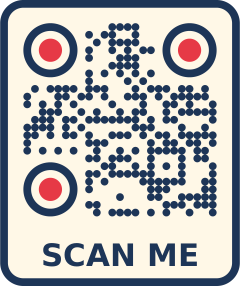
Struct fields. For a logo, a caption and a frame, set the fields directly:
use qrkude::{
    encode_for_style, to_svg, Background, Border, Color, Ecc, EncodeOptions, EyeShape, EyeStyle, Label,
    Logo, LogoShape, ModuleShape, Paint, Style, SvgOptions,
};

fn main() -> Result<(), Box<dyn std::error::Error>> {
    let navy = Color::hex(0x1d3557);
    let mut style = Style::default();
    style.margin = 2.0;
    style.modules.shape = ModuleShape::Liquid;
    style.modules.color = Paint::Solid(navy);
    style.eyes = EyeStyle {
        frame: EyeShape::Circle,
        ball: EyeShape::Circle,
        frame_color: Paint::Solid(Color::hex(0xe63946)),
        ..EyeStyle::default()
    };
    style.background = Background { color: Paint::Solid(Color::hex(0xfff8e7)), radius: 3.0 };
    style.border = Border { width: 1.0, color: navy };
    // The SVG references the image by URL; raster output takes a bitmap instead.
    style.logo = Some(Logo { size: 0.2, shape: LogoShape::Circle, background: Color::WHITE, ..Logo::new("logo.svg") });
    style.label = Some(Label { color: navy, ..Label::new("SCAN ME") });

    // encode_for_style picks error correction level H when there is a logo.
    let code = encode_for_style(b"https://example.com/menu", &EncodeOptions::default(), &style)?;
    assert_eq!(code.ecc(), Ecc::High);
    let svg = to_svg(&code, &style, &SvgOptions::default());
    assert!(svg.contains("SCAN ME"));
    Ok(())
}
encode_for_style matters when a logo is present: the logo hides part of the
code, and the highest error correction level (H) lets a scanner rebuild the
hidden part (guide). encode_text and
encode default to level M.
JSON style document (feature json). Every QRKude library reads the same
document, so a style designed once (for example in a web form) gives the same
SVG everywhere. The keys are listed in STYLES.md.
use qrkude::StyleDocument;

fn main() -> Result<(), qrkude::Error> {
    let doc = StyleDocument::from_json(
        r##"{
          "encode": { "ecc": "Q" },
          "style": {
            "margin": 3,
            "modules": { "shape": "dot", "size": 0.9,
                         "color": { "type": "radial",
                                    "stops": [ { "offset": 0, "color": "#0b3d91" },
                                               { "offset": 1, "color": "#00796b" } ] } },
            "eyes": { "frame": "rounded", "ball": "circle", "frameColor": "#0b3d91" },
            "background": { "color": "#ffffff", "radius": 2 }
          },
          "svg": { "width": 300, "idPrefix": "menu" }
        }"##,
    )?;
    // doc.encode() + to_svg() in one call
    let svg = doc.render_svg(b"https://example.com")?;
    assert!(svg.contains(r#"width="300""#));
    Ok(())
}
StyleDocument holds three parts: encode (an EncodeOptions, see
encoding options), style and svg
(an SvgOptions, see SVG options). Keys
that are missing keep their default value, unknown keys are ignored.
Output
SVG. to_svg returns a String. write_svg streams the same document
into any core::fmt::Write (a String, a network buffer, a serial port
adapter) without building it in memory first. The SVG is byte-for-byte
identical to the one produced by the other QRKude libraries for the same
style. Its coordinates are in modules; SvgOptions::width sets the width
and height attributes in pixels, and SvgOptions::id_prefix names the
gradients (give each SVG a different prefix when you put several in one HTML
page).
use core::fmt::{self, Write};
use qrkude::{encode_text, write_svg, EncodeOptions, Style, SvgOptions};

/// Counts bytes instead of storing them (stands in for a socket or a UART).
struct ByteCounter(usize);

impl Write for ByteCounter {
    fn write_str(&mut self, s: &str) -> fmt::Result {
        self.0 += s.len();
        Ok(())
    }
}

fn main() -> Result<(), Box<dyn std::error::Error>> {
    let code = encode_text("https://example.com", &EncodeOptions::default())?;
    let mut out = ByteCounter(0);
    write_svg(&code, &Style::default(), &SvgOptions::default(), &mut out)?;
    println!("the SVG is {} bytes", out.0);
    Ok(())
}
Pixels. The rasterizer draws the same shapes as the SVG writer, directly into pixels, without building paths or an image in memory:
render_spanscalls you back with horizontal runs of equal color (x,y,length,Color), row by row. Send them straight to a display.render_bufferfills a buffer you provide, in one of sevenPixelFormats:Rgba8888,Bgra8888(LVGL 9, Cairo),Rgb888,Rgb565,Rgb565Swapped(most SPI displays),Gray8andMono(1 bit per pixel).render_rgbaandrender_rgb565allocate the buffer for you.to_png(featurepng) returns a PNG file.
RasterOptions sets the size in pixels, anti-aliasing (supersample: 1 = off,
2 = default, up to 4), whether modules snap to whole pixels (integer_scale,
default on), the color behind transparent areas (clear_color, default white)
and an optional logo bitmap (logo). The code is centered in the image.
Captions (label) are not drawn in pixels because that needs a font engine;
the space for the caption stays background-colored.
use qrkude::{encode_text, pixel_buffer_size, render_buffer, render_spans, EncodeOptions, PixelFormat, RasterOptions, Style};

fn main() -> Result<(), qrkude::Error> {
    let code = encode_text("https://example.com", &EncodeOptions::default())?;
    let style = Style::default();
    let opts = RasterOptions::new(240, 240); // a 240 x 240 display

    // Stream runs of pixels to the display.
    let mut pixels = 0;
    render_spans(&code, &style, &opts, |x, y, len, color| {
        let rgb565 = ((color.r() as u16 >> 3) << 11) | ((color.g() as u16 >> 2) << 5) | (color.b() as u16 >> 3);
        let _ = (x, y, rgb565); // display.fill_row(x, y, len, rgb565);
        pixels += len;
    })?;
    assert_eq!(pixels, 240 * 240);

    // Or fill a frame buffer in the display's own format.
    let mut frame = vec![0u8; pixel_buffer_size(PixelFormat::Rgb565Swapped, 240, 240)];
    render_buffer(&code, &style, &opts, PixelFormat::Rgb565Swapped, &mut frame, 0)?;
    Ok(())
}
Choosing a resolution. A scanner needs each module to cover several
pixels. With integer_scale (the default) every module gets the same whole
number of pixels, which gives the sharpest image; size the image as a multiple
of the canvas width in modules, which layout reports. For print sizes and
viewing distances, see the guide.
use qrkude::{encode_text, layout, to_png, EncodeOptions, RasterOptions, Style};

fn main() -> Result<(), Box<dyn std::error::Error>> {
    let style = Style::default();
    let code = encode_text("https://example.com", &EncodeOptions::default())?;

    // 10 pixels per module: 33 modules wide -> 330 x 330 pixels.
    let canvas = layout(&code, &style);
    let side = (canvas.width * 10.0).round() as u32;
    let opts = RasterOptions { supersample: 3, ..RasterOptions::new(side, side) };
    std::fs::write("qr.png", to_png(&code, &style, &opts)?)?;

    // For a fixed width that keeps the aspect ratio (taller with a caption):
    let any_width = RasterOptions::with_width(&code, &style, 500);
    assert_eq!((any_width.width, any_width.height), (500, 500));
    Ok(())
}
Your own renderer. emit_layer sends the outline of one layer
(Background, Border, Modules, EyeFrames, EyeBalls, LogoBackground)
to anything that implements PathSink: closed shapes made of straight lines
and circular arcs, in modules, to fill with the non-zero rule. This is the
geometry the SVG writer uses, so a canvas, a PDF writer or a GPU path API can
draw exactly the same picture. layer_paint and gradient_geometry give the
fill, layer_visible tells you whether a layer draws anything, and layout
gives the canvas size, the logo box and the caption position.
use qrkude::{emit_layer, encode_text, layer_paint, EncodeOptions, Layer, PathCommand, Style};

fn main() -> Result<(), qrkude::Error> {
    let code = encode_text("https://example.com", &EncodeOptions::default())?;
    let style = Style::default();
    for layer in Layer::ALL {
        let mut path: Vec<PathCommand> = Vec::new(); // Vec<PathCommand> is a ready-made PathSink
        let shapes = emit_layer(&code, &style, layer, &mut path);
        println!("{layer:?}: {shapes} shapes, paint {:?}", layer_paint(&style, layer));
    }
    Ok(())
}
Content helpers
A QR code holds plain text; phones recognize a few text formats and offer an
action (join a Wi-Fi network, add a contact). The payload module builds
those strings with the right escaping. Empty strings mean “leave this out”.
use qrkude::payload::{self, Event, VCard};

fn main() {
    assert_eq!(payload::wifi("Home", "secret", "WPA", false), "WIFI:T:WPA;S:Home;P:secret;;");
    assert_eq!(payload::email("[email protected]", "Hello", ""), "mailto:[email protected]?subject=Hello");
    assert_eq!(payload::sms("+34600000000", "Hi"), "SMSTO:+34600000000:Hi");
    assert_eq!(payload::tel("+34600000000"), "tel:+34600000000");
    assert_eq!(payload::geo(40.4168, -3.7038), "geo:40.4168,-3.7038");

    let card = payload::vcard(&VCard { first_name: "Ana", last_name: "Garcia", phone: "+34600000000", ..Default::default() });
    assert!(card.starts_with("BEGIN:VCARD\nVERSION:3.0\nN:Garcia;Ana;;;\n"));

    let party = payload::event(&Event { summary: "Launch", start: "20261017T100000Z", ..Default::default() });
    assert_eq!(party, "BEGIN:VEVENT\nSUMMARY:Launch\nDTSTART:20261017T100000Z\nEND:VEVENT");
}
Pass the result to encode_text like any other text.
Making sure it scans
Styling can make a code hard to read. lint checks a code and its style and
returns warnings; logo_damage estimates how much of the code a logo hides.
Neither replaces a test with real phones (guide).
use qrkude::{encode_for_style, lint, logo_damage, Color, EncodeOptions, LintFlag, Logo, Paint, Style};

fn main() -> Result<(), qrkude::Error> {
    // Light grey on white is too faint.
    let style = Style::default().with_color(Paint::Solid(Color::hex(0xbbbbbb)));
    let code = encode_for_style(b"https://example.com", &EncodeOptions::default(), &style)?;
    assert_eq!(lint(&code, &style), [LintFlag::LowContrast]);

    // A large logo: 0 = nothing hidden, above 1 = cannot be decoded.
    let style = Style::default().with_logo(Logo { size: 0.3, ..Logo::new("logo.svg") });
    let code = encode_for_style(b"https://example.com", &EncodeOptions::default(), &style)?;
    let damage = logo_damage(&code, &style);
    for flag in lint(&code, &style) {
        // prints "warning: logo-unreadable (logo damage 1.09)": make the logo smaller
        println!("warning: {flag} (logo damage {damage:.2})");
    }
    Ok(())
}
What each warning means and what to do:
| warning | meaning | what to do |
|---|---|---|
logo-risky |
the logo hides 70 to 100% of what error correction can repair | make logo.size or logo.margin smaller, or encode shorter text; keep logo_damage at 0.6 or below (guide) |
logo-unreadable |
the logo hides more than can be repaired | same as above; this code will not scan |
low-contrast |
foreground and background are too similar (contrast below 3:1) | darken the modules or lighten the background (guide) |
inverted |
light modules on a dark background | many scanners read it, some do not; test it, or use dark on light |
transparent-background |
no background color | the code takes the color of whatever is behind it; set background.color unless you control that |
quiet-zone |
margin below 2 modules |
use 4 if you can, never less than 2 |
small-modules |
modules.size below 0.6 for separated shapes |
use a larger size |
eye-shapes |
diamond eyes, or diamond centers in square or leaf eyes | these break eye detection; choose another combination (guide) |
invisible |
the modules or the eyes have no color, or a fully transparent one | give them a visible color |
lint_bits returns the same result as a bit set (see LintFlag::bit). The
troubleshooting section of the guide
covers codes that do not scan for other reasons.
Untrusted styles
Styles often come from users (a web form, a database, a device on the network). The library is built so that such input can make a request fail, but cannot crash the program, inject markup into the SVG or make it allocate without limit:
StyleDocument::from_jsonrejects documents nested deeper than 64 levels, number tokens longer than 400 characters and numbers that are not finite (1e999), even under keys it does not know. Unknown keys are ignored. Repeated keys apply in order.- Every string ends at its first U+0000 character, and invalid UTF-16
surrogate escapes (
\ud800) read as U+FFFD. - Lengths are clamped when drawing:
margin,border.widthandlogo.marginto 0..1000 modules,label.sizeto 0.1..1000, sizes and roundness to their ranges. A NaN takes the lower bound. - Text written into the SVG (caption, font, logo URL) is escaped, and control
characters are dropped.
svg.idPrefixis reduced toA-Z a-z 0-9 _ -(seesanitize_id_prefix). - Raster sizes, buffer sizes and logo bitmaps are checked before use.
- The
Deserializeimpls (for use inside your own serde types) apply the nesting, finiteness and U+0000 rules, but onlyfrom_jsonsees the raw text, so use it for untrusted input.
The library does not limit the size of the input text or document; do that
before calling it. Errors are values of Error (marked #[non_exhaustive]):
| variant | as_str() |
when |
|---|---|---|
Error::Parse |
parse error |
the JSON is malformed, breaks a limit above, or has a wrong value type (for example "margin": "4" or an unknown shape name) |
Error::InvalidArgument |
invalid argument |
encoding options out of range (minVersion: 0, mask: 9, …), a raster size of 0, a too-short logo bitmap |
Error::DataTooLong |
data too long |
the text does not fit in the largest allowed version (guide) |
Error::BufferTooSmall |
buffer too small |
the buffer passed to render_buffer is too small |
Error::OutOfMemory |
out of memory |
an output buffer could not be allocated |
The first three are the error kinds shared by all QRKude libraries; the other two only come from this crate’s raster functions.
use qrkude::{sanitize_id_prefix, Error, StyleDocument};

fn main() {
    // A document from a web form.
    let hostile = r#"{"svg": {"idPrefix": "x\"/><script>"}, "encode": {"minVersion": 0}}"#;
    let doc = StyleDocument::from_json(hostile).unwrap();
    assert_eq!(doc.encode(b"hello"), Err(Error::InvalidArgument));
    assert_eq!(sanitize_id_prefix(&doc.svg.id_prefix), "x____script_");

    assert_eq!(StyleDocument::from_json(r#"{"margin": 1e999}"#), Err(Error::Parse));
}
API reference
Every public item, grouped by task. Items marked json or png need that feature. The generated rustdoc has the details.
Encoding
fn encode(data: &[u8], opts: &EncodeOptions) -> Result<QrCode, Error>: encodes bytes; a missingopts.eccmeans level M.fn encode_text(text: &str, opts: &EncodeOptions) -> Result<QrCode, Error>: same for a&str.fn encode_for_style(data: &[u8], opts: &EncodeOptions, style: &Style) -> Result<QrCode, Error>: a missingopts.eccmeans H with a logo, else M.struct EncodeOptions { ecc: Option<Ecc>, min_version: u8, max_version: u8, mask: Option<u8>, boost_ecc: bool, eci: bool }:Defaultis automatic level, versions 1 to 40, automatic mask,boost_eccon,ecioff.enum Ecc { Low, Medium, Quartile, High }: error correction level;Ecc::ALL,fn letter(self) -> char,fn from_letter(c: char) -> Option<Ecc>.enum Mode { Numeric, Alphanumeric, Byte }: how the data is stored;fn name(self) -> &'static str.struct QrCode: the encoded grid;fn version(&self) -> u8,fn size(&self) -> usize(modules per side),fn ecc(&self) -> Ecc,fn mask(&self) -> u8,fn mode(&self) -> Mode,fn is_dark(&self, x: i32, y: i32) -> bool(outside the grid is light).const MAX_VERSION: u8 = 40.
Style
struct Style { margin: f64, modules: ModuleStyle, eyes: EyeStyle, alignment: AlignmentStyle, background: Background, border: Border, logo: Option<Logo>, label: Option<Label> }.impl Style:fn new() -> Style,fn active_logo(&self) -> Option<&Logo>,fn active_label(&self) -> Option<&Label>,fn has_logo(&self) -> bool,fn recommended_ecc(&self) -> Ecc, and the builderswith_module_shape(ModuleShape),with_color(impl Into<Paint>),with_eyes(EyeShape, EyeShape),with_background(impl Into<Paint>),with_logo(Logo),with_label(Label), each-> Style.fn Style::from_json(json: &str) -> Result<Style, Error>(json): thestylepart of a document.struct ModuleStyle { shape: ModuleShape, size: f64, roundness: f64, color: Paint }.struct EyeStyle { frame: EyeShape, ball: EyeShape, frame_color: Paint, ball_color: Paint }.struct AlignmentStyle { frame: Option<EyeShape>, ball: Option<EyeShape> }.struct Background { color: Paint, radius: f64 }.struct Border { width: f64, color: Color }.struct Logo { href: Option<String>, size: f64, margin: f64, shape: LogoShape, excavate: bool, background: Color }:fn new(href: impl Into<String>) -> Logo;Defaulthas size 0.2, margin 1, square,excavateon (modules under the logo are removed), no background.struct Label { text: String, font: String, size: f64, color: Color, position: LabelPosition, bold: bool }:fn new(text: impl Into<String>) -> Label;Defaultissans-serif, size 4, black, bottom, bold.enum ModuleShape,enum EyeShape,enum LogoShape { Square, Rounded, Circle },enum LabelPosition { Bottom, Top }: each hasALL,fn name(self) -> &'static str,fn from_name(&str) -> Option<Self>,FromStrandDisplay(the JSON names).enum Paint { None, Solid(Color), Linear(LinearGradient), Radial(RadialGradient) }:fn solid(Color),fn linear(angle_deg: f64, from: Color, to: Color),fn radial(center: Color, edge: Color),fn is_gradient(&self) -> bool,fn is_none(&self) -> bool,fn stops(&self) -> &[Stop];From<Color>.struct LinearGradient { angle: f64, stops: Vec<Stop> }(0 degrees = left to right, 90 = top to bottom).struct RadialGradient { cx: f64, cy: f64, r: f64, stops: Vec<Stop> }(fractions of the painted area; default 0.5, 0.5, 0.75).struct Stop { offset: f64, color: Color };const MAX_STOPS: usize = 8(extra stops are ignored).struct Color(pub u32)(0xRRGGBBAA):TRANSPARENT,BLACK,WHITE,const fn rgba(r, g, b, a: u8),const fn rgb(r, g, b: u8),const fn hex(rgb: u32),const fn r/g/b/a(self) -> u8,fn parse(s: &str) -> Option<Color>(#rgb,#rrggbb,#rrggbbaa,transparent),FromStr.
Style documents
struct StyleDocument { encode: EncodeOptions, style: Style, svg: SvgOptions }:fn encode(&self, data: &[u8]) -> Result<QrCode, Error>(applies the logo rule),fn render_svg(&self, data: &[u8]) -> Result<String, Error>.fn StyleDocument::from_json(json: &str) -> Result<StyleDocument, Error>(json).serde::DeserializeforStyleDocument,Style,Color,Ecc,ModuleShape,EyeShape,LogoShape,LabelPosition(json).
SVG
fn to_svg(code: &QrCode, style: &Style, opts: &SvgOptions) -> String.fn write_svg<W: core::fmt::Write + ?Sized>(code: &QrCode, style: &Style, opts: &SvgOptions, out: &mut W) -> core::fmt::Result.struct SvgOptions { width: f64, id_prefix: String }:width0 (default) omits the size attributes;id_prefixdefaults toqrk.fn sanitize_id_prefix(prefix: &str) -> String: the prefix as written into the SVG.fn format_number<W: core::fmt::Write + ?Sized>(value: f64, out: &mut W) -> core::fmt::Result: the number format of the SVG (at most 3 decimals).
Pixels
fn render_spans<F: FnMut(u32, u32, u32, Color)>(code: &QrCode, style: &Style, opts: &RasterOptions<'_>, span: F) -> Result<(), Error>.fn render_buffer(code: &QrCode, style: &Style, opts: &RasterOptions<'_>, format: PixelFormat, pixels: &mut [u8], stride: usize) -> Result<(), Error>(stride0 = rows tightly packed).fn render_rgba(code: &QrCode, style: &Style, opts: &RasterOptions<'_>) -> Result<Vec<u8>, Error>.fn render_rgb565(code: &QrCode, style: &Style, opts: &RasterOptions<'_>) -> Result<Vec<u16>, Error>.fn to_png(code: &QrCode, style: &Style, opts: &RasterOptions<'_>) -> Result<Vec<u8>, Error>(png).struct RasterOptions<'a> { width: u32, height: u32, supersample: u32, integer_scale: bool, clear_color: Color, logo: Option<Image<'a>> }:fn new(width: u32, height: u32) -> RasterOptions<'static>,fn with_width(code: &QrCode, style: &Style, width: u32) -> RasterOptions<'static>.enum PixelFormat { Rgba8888, Bgra8888, Rgb888, Rgb565, Rgb565Swapped, Gray8, Mono }:fn row_bytes(self, width: u32) -> usize.fn pixel_buffer_size(format: PixelFormat, width: u32, height: u32) -> usize.struct Image<'a> { width: u32, height: u32, format: PixelFormat, pixels: &'a [u8], stride: usize }: a logo bitmap;fn new(width, height, format, pixels),fn rgba(width, height, pixels).
Geometry
fn layout(code: &QrCode, style: &Style) -> Layout.struct Layout { width, height, symbol_x, symbol_y: f64, modules: usize, has_logo: bool, logo_x, logo_y, logo_size: f64, has_label: bool, label_x, label_baseline: f64 }: canvas size, position of the grid, logo box and caption anchor, in modules.enum Layer { Background, Border, Modules, EyeFrames, EyeBalls, LogoBackground }:Layer::ALLin drawing order.trait PathSink { fn move_to(&mut self, x: f64, y: f64); fn line_to(&mut self, x: f64, y: f64); fn arc_to(&mut self, r: f64, clockwise: bool, x: f64, y: f64, cx: f64, cy: f64); fn close(&mut self); }: implemented forVec<PathCommand>and&mut S.enum PathCommand { MoveTo { x, y }, LineTo { x, y }, ArcTo { r, clockwise, x, y, cx, cy }, Close }.fn emit_layer<S: PathSink + ?Sized>(code: &QrCode, style: &Style, layer: Layer, sink: &mut S) -> usize: returns the number of shapes.fn layer_paint(style: &Style, layer: Layer) -> Paint: the fill, with eye colors resolved.fn layer_visible(code: &QrCode, style: &Style, layer: Layer) -> bool.fn gradient_geometry(code: &QrCode, style: &Style, layer: Layer) -> GradientGeometry.struct GradientGeometry { x1, y1, x2, y2, cx, cy, r: f64 }: gradient end points (linear) or center and radius (radial), in modules.
Checks
fn lint(code: &QrCode, style: &Style) -> Vec<LintFlag>,fn lint_bits(code: &QrCode, style: &Style) -> u32.enum LintFlag { LogoRisky, LogoUnreadable, LowContrast, Inverted, TransparentBackground, QuietZone, SmallModules, EyeShapes, Invisible }:LintFlag::ALL,fn name(self) -> &'static str,fn bit(self) -> u32,Display.fn logo_damage(code: &QrCode, style: &Style) -> f64.
Content helpers (module payload)
fn wifi(ssid: &str, password: &str, auth: &str, hidden: bool) -> String(auth:"WPA","WEP","nopass"or empty).fn email(to: &str, subject: &str, body: &str) -> String,fn sms(number: &str, message: &str) -> String,fn tel(number: &str) -> String,fn geo(latitude: f64, longitude: f64) -> String.fn vcard(card: &VCard<'_>) -> Stringwithstruct VCard<'a> { first_name, last_name, organization, title, phone, email, url, address, note: &'a str }.fn event(event: &Event<'_>) -> Stringwithstruct Event<'a> { summary, start, end, location, description: &'a str }.
Errors and constants
enum Error { InvalidArgument, DataTooLong, BufferTooSmall, OutOfMemory, Parse }:fn as_str(self) -> &'static str,Display,std::error::Error(withstd).const LIB_VERSION: &str = "0.1.0".
Platform notes
- Rust version. The crate declares Rust 1.70 as its minimum (MSRV). It
has been tested with Rust 1.93. With the
jsonfeature, the minimum is whatever yourserde_jsonversion needs (recent releases need 1.71). no_stdand microcontrollers. Disable the default features:qrkude = { path = "...", default-features = false }. The crate then needs onlycore,allocand a global allocator (for exampleesp-allocon esp-rs bare-metal targets). On esp-idf targets withstdthe default features work. Theno_stdbuild has been checked by linking it into ano_stdstatic library with its own allocator and panic handler, and it passes the same conformance tests throughlibm; it has not yet been run on microcontroller hardware.- Memory. Encoding a version 10 code (57 by 57 modules) needs about
1.5 KB of heap and keeps 410 bytes; the largest code (version 40,
177 by 177) peaks at about 15 KB and keeps 3.9 KB. The rasterizer keeps no
image: about 1.4 KB of state on the stack, plus a copy of the gradient
stops.
write_svgbuffers nothing beyond one number. - Speed. Measured on a laptop CPU (AMD Ryzen 7 5700U, release build):
encoding takes 0.08 ms for a short web address (version 2), 0.6 ms for
version 10 and 6 ms for version 40. The SVG takes 0.05 to 0.13 ms at
version 2 (2 to 22 KB) and 1.5 to 8 ms at version 40 (0.14 to 1.6 MB;
dots and liquid shapes make the largest files). Rasterizing a
512 by 512 image with
supersample2 takes about 20 ms. A microcontroller is much slower; lowersupersampleto 1 there if needed. - Same output everywhere. SVG output is byte-for-byte identical across platforms and QRKude languages, and raster output is identical to the C library’s rasterizer.
- Limitations. The whole text is stored in one mode (numeric, alphanumeric or byte); mixed content is not split into segments, so some codes are one version larger than strictly needed. Kanji mode, Micro QR, rMQR and structured append are not supported. The library does not read (decode) QR codes. The SVG references the logo by URL and does not embed or fetch it. Raster output does not draw captions, and scales a logo bitmap without smoothing.
Development
From packages/rust in the QRKude repository:
cargo test --all-features                     # unit, API, conformance and README tests
cargo test --no-default-features              # the no_std build (math through libm)
cargo test --no-default-features --features json
cargo run --example basic --features png -- out/     # writes out/basic.svg and out/basic.png
cargo run --example styles --features png -- gallery/  # a gallery of styles with an index.html
The conformance tests (tests/vectors.rs) read the shared test vectors in
../../spec/vectors and require every SVG, grid, text payload, warning and
error to match the C reference implementation exactly. The rules are written
down in SPEC.md. Two environment variables control
these tests:
QRKUDE_VECTORS_DIR=/path/to/spec/vectorsuses another copy of the vectors.QRKUDE_REQUIRE_VECTORS=1makes missing vectors a failure; by default the tests are skipped with a message (shown withcargo test -- --nocapture).
The conformance tests are not part of the packaged crate; its own
cargo test runs the unit, API and documentation tests. The README is the
crate’s front page in the generated documentation when the json and png
features are enabled (as on docs.rs), so its examples run as doc tests with
cargo test --all-features.
License
Apache-2.0. See LICENSE.
This page is packages/rust/README.md in the QRKude repository.